



Product Description
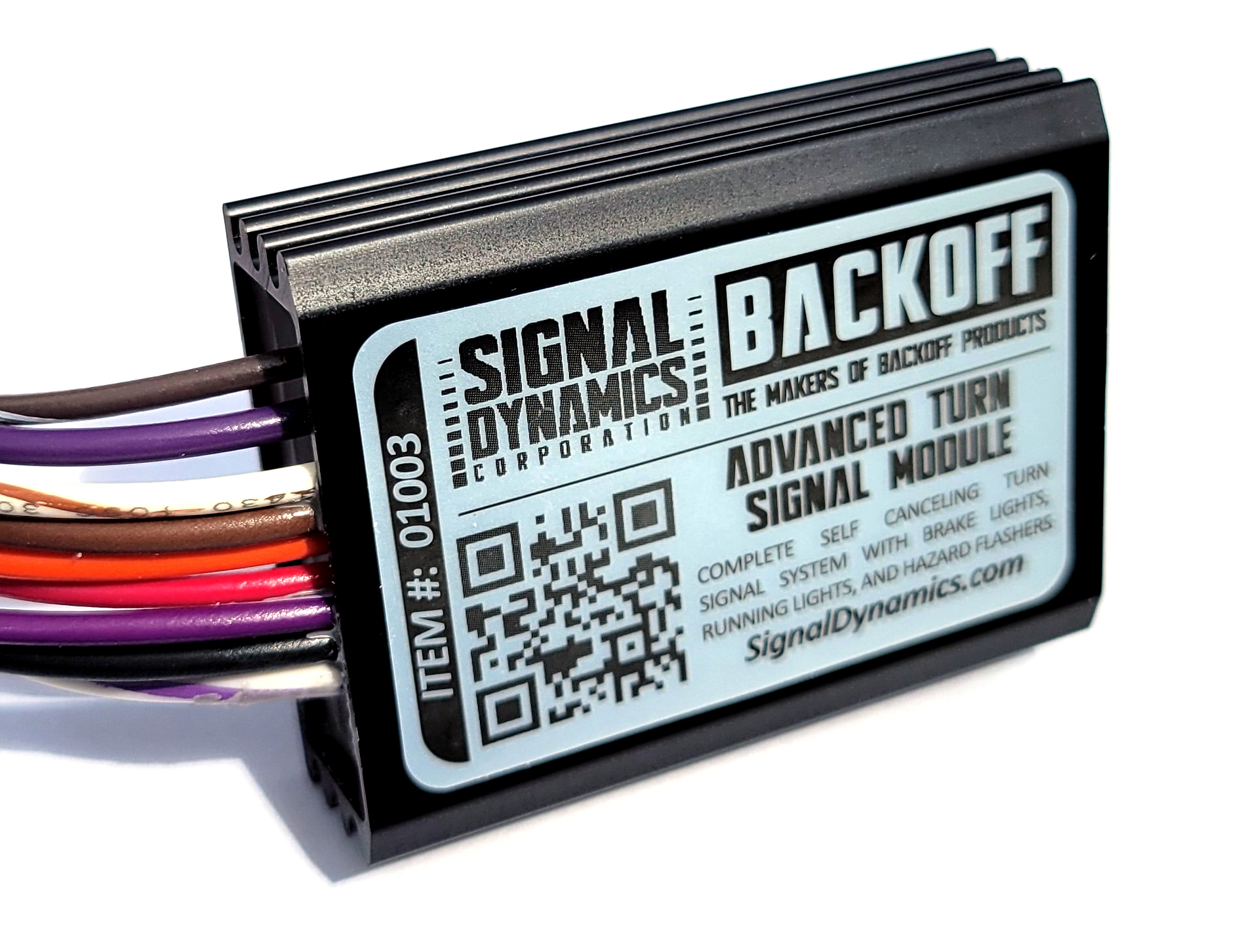
Advanced Turn Signal Module
A Complete Turn Signal System for Custom, Antique, and Specialty Vehicles
The Signal Dynamics Advanced Turn Signal Module is a complete electronic turn signal controller designed for vehicles that do not currently have a factory turn signal system, or for builders looking to replace outdated relay-based systems with a modern solid-state solution.
Perfect for:
- custom vehicles
- antique and classic cars
- golf carts
- utility vehicles
- race cars
- specialty builds
- motorcycles using momentary turn signal switches
The Advanced Turn Signal Module allows your vehicle’s existing LED or incandescent lights to function as:
- self-canceling turn signals
- hazard flashers
- brake lights
- optional running lights
Universal fit. Works with virtually any vehicle or type of turn signal light without requiring load equalizers or external flash relays.
Smart Self-Canceling Turn Signals
Unlike traditional relay-based systems, the Advanced Turn Signal Module intelligently controls cancel timing based on how long the switch is pressed.
Short press:
Ideal for lane changes.
Medium press:
Perfect for normal turns.
Long press:
Great for intersections and extended stops before turning.
The module can also extend turn signal operation automatically while the brakes are applied to help prevent premature cancellation during stops at traffic lights or in traffic.
Compatible With Multiple Switch Types
The module is compatible with virtually any type of turn signal switch configuration including:
- momentary switches
- center-off momentary switches
- traditional latching switches
For motorcycles using factory latching turn signal switches, operation may differ from factory self-canceling systems and may not be ideal for all applications.
Turn Signal Switch Mode Programming
The Advanced Turn Signal Module supports both momentary and latching turn signal switches.
The module ships from the factory programmed for Momentary Switch Mode.
Momentary Switch Mode (Factory Default)
Use this mode with:
- Double Throw Center Off (momentary) switches
- Two separate momentary switches
In this mode, the turn signal is activated by pressing and releasing the switch. The module will automatically self-cancel after a pre-programmed period of time.
Latching Switch Mode
Use this mode with:
- Double Throw Latching switches
In this mode, the turn signal will continue flashing as long as the switch remains latched.
To Enable Latching Switch Mode
- Turn module power OFF.
- Turn module power ON.
- Within 5 seconds, move the turn signal switch to the RIGHT position and then cancel it 7 times.
- Wait for the remainder of the 5-second programming window to expire.
The module is now programmed for Latching Switch Mode and will retain this setting even when power is removed.
To Return to Momentary Switch Mode
- Turn module power OFF.
- Turn module power ON.
- Within 5 seconds, move the turn signal switch to the RIGHT position and then cancel it 4 times.
- Wait for the remainder of the 5-second programming window to expire.
The module is now programmed for Momentary Switch Mode.
Integrated Brake Light Functionality
The Advanced Turn Signal Module can also convert rear turn signals into additional brake lights to increase rear visibility during braking.
When connected to the brake light circuit:
- rear turn signals illuminate brightly during braking
- turn signal operation is maintained normally
- additional rear lighting helps attract attention from following drivers
Optional Running Lights
Optional front and rear running light functionality can also be enabled through built-in programming modes.
Available running light configurations include:
- front and rear running lights
- rear only
- front only
- no running lights
Settings are stored in memory even when power is removed.
Running Light Programming
The Advanced Turn Signal Module comes pre-programmed with No Running Lights (lights illuminated at 50% brightness whenever the module has power). If you wish to enable running lights, you can select front only, rear only, front and rear, or disable running lights entirely.
To Change Running Light Modes
- Turn module power OFF.
- Turn module power ON.
- Within 5 seconds, apply the brake switch the number of times shown below.
- After the final brake application, wait for the remainder of the 5-second programming window to expire.
- The selected mode will be stored in non-volatile memory and will remain there even when power is removed.
| Brake Presses | Running Light Mode |
|---|---|
| 4 | Front and Rear Running Lights |
| 7 | Rear Running Lights Only |
| 10 | Front Running Lights Only |
| 12 | No Running Lights |
Tips
- The brake switch does not need to remain connected after programming.
- It is often easier to temporarily tap the brake input wire directly rather than repeatedly pressing the brake pedal or brake lever.
- Due to timing variations, the exact count is not critical. For example, 11, 12, or 13 brake applications will typically select the "No Running Lights" mode.
Hazard Flashers
Hazard flasher functionality is built into the module for compatible switch configurations, making it ideal for vehicles that do not already have factory hazard flashers.
Designed for Real-World Custom Builds
The Advanced Turn Signal Module was designed to simplify wiring while providing professional-level turn signal functionality in a compact solid-state module.
Whether you are wiring a ground-up custom build, restoring an antique vehicle, upgrading a golf cart, or adding modern lighting control to a specialty vehicle, the Advanced Turn Signal Module provides flexible lighting control without the complexity of traditional relay systems.